> ## Documentation Index
> Fetch the complete documentation index at: https://docs-dev-feat-docs-5612-expanded-grant-support-ea.mintlify.site/llms.txt
> Use this file to discover all available pages before exploring further.

> Learn how to configure your JWT Connection to sign, verify or decode JSON Web Tokens.

# JWT Vault Connection

## Configure your JWT Vault connection

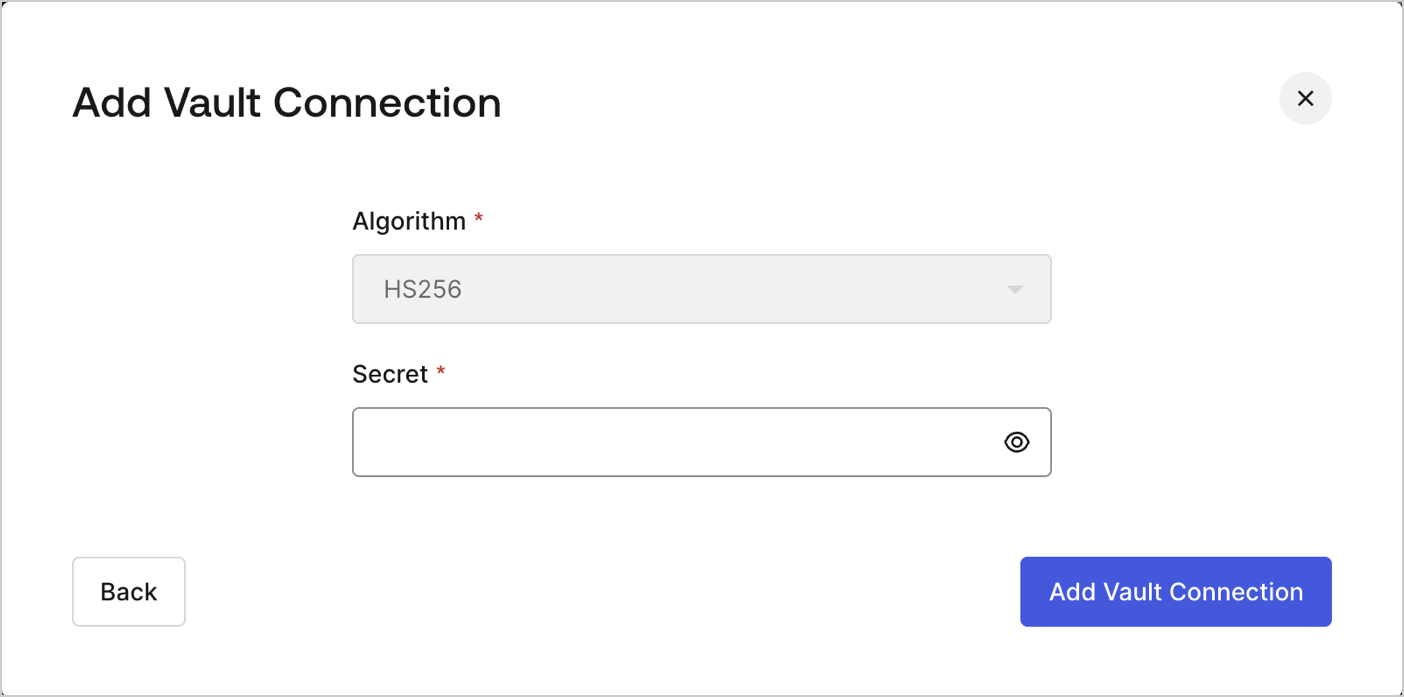
To configure an JWT Vault Connection for your Flows JWT Actions to sign, decode, and verify JSON Web Tokens, you need to set the required parameters.
<Frame>
  <img src="https://mintcdn.com/docs-dev-feat-docs-5612-expanded-grant-support-ea/fO9QR70_Gdrw6w5B/docs/images/customize/forms/vaults/jwt-vault-connection.png?fit=max&auto=format&n=fO9QR70_Gdrw6w5B&q=85&s=2b75d7f1d2a465c4df57f77158fd711f" alt="Dashboard > Actions > Forms > Vault > JWT" data-og-width="1404" width="1404" data-og-height="697" height="697" data-path="docs/images/customize/forms/vaults/jwt-vault-connection.png" data-optimize="true" data-opv="3" srcset="https://mintcdn.com/docs-dev-feat-docs-5612-expanded-grant-support-ea/fO9QR70_Gdrw6w5B/docs/images/customize/forms/vaults/jwt-vault-connection.png?w=280&fit=max&auto=format&n=fO9QR70_Gdrw6w5B&q=85&s=23be8582cc650c8451d2a4a885e6fe71 280w, https://mintcdn.com/docs-dev-feat-docs-5612-expanded-grant-support-ea/fO9QR70_Gdrw6w5B/docs/images/customize/forms/vaults/jwt-vault-connection.png?w=560&fit=max&auto=format&n=fO9QR70_Gdrw6w5B&q=85&s=7f92c3cb841742142a0ef8df541344b4 560w, https://mintcdn.com/docs-dev-feat-docs-5612-expanded-grant-support-ea/fO9QR70_Gdrw6w5B/docs/images/customize/forms/vaults/jwt-vault-connection.png?w=840&fit=max&auto=format&n=fO9QR70_Gdrw6w5B&q=85&s=f6c5291f91fe4cb3589f6367ff4fc6bf 840w, https://mintcdn.com/docs-dev-feat-docs-5612-expanded-grant-support-ea/fO9QR70_Gdrw6w5B/docs/images/customize/forms/vaults/jwt-vault-connection.png?w=1100&fit=max&auto=format&n=fO9QR70_Gdrw6w5B&q=85&s=ac0ffdd756075369d73a6a0575dd7689 1100w, https://mintcdn.com/docs-dev-feat-docs-5612-expanded-grant-support-ea/fO9QR70_Gdrw6w5B/docs/images/customize/forms/vaults/jwt-vault-connection.png?w=1650&fit=max&auto=format&n=fO9QR70_Gdrw6w5B&q=85&s=9c7f8652b93463cb2d68c60b130ed8e2 1650w, https://mintcdn.com/docs-dev-feat-docs-5612-expanded-grant-support-ea/fO9QR70_Gdrw6w5B/docs/images/customize/forms/vaults/jwt-vault-connection.png?w=2500&fit=max&auto=format&n=fO9QR70_Gdrw6w5B&q=85&s=0b780cf75f5c0681002b24ad90706b3a 2500w" />
</Frame>

## Input settings

| Parameter | Description                                                 |
| --------- | ----------------------------------------------------------- |
| Secret    | Secret to be used in the HS256 algorithm to encode the JWT. |
