> ## Documentation Index
> Fetch the complete documentation index at: https://docs-dev-feat-docs-5612-expanded-grant-support-ea.mintlify.site/llms.txt
> Use this file to discover all available pages before exploring further.
> Learn how to configure your Auth0 pre-built flow actions to make requests against the Management API or send custom notifications.
# Auth0
## Configure your Auth0 Vault Connection
Learn how to configure a Vault Connection for your Auth0 Flow Actions at [Auth0 Vault Connection](/docs/customize/forms/vaults/auth0).
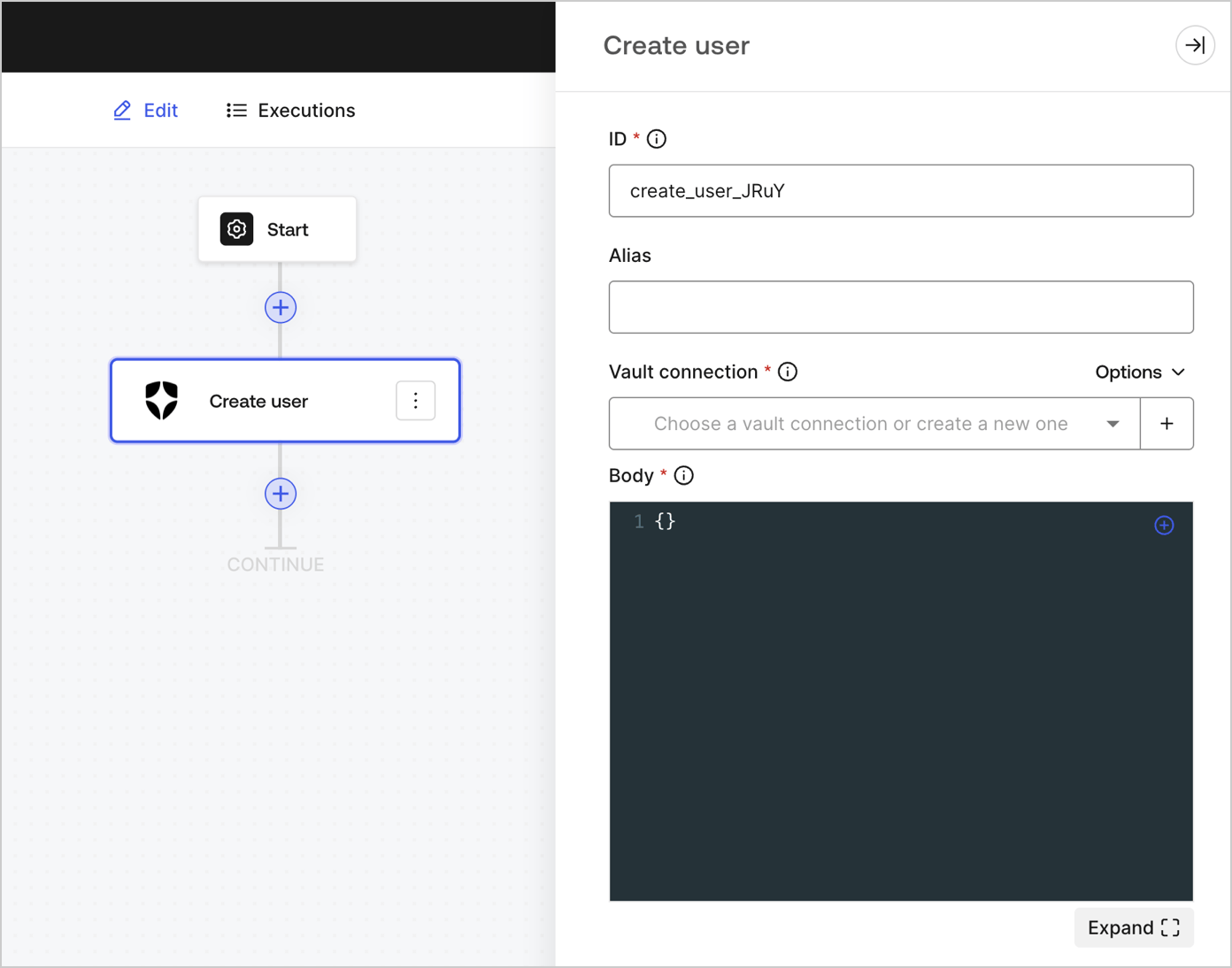
## Create user
Create a user.
 ### Input settings
| Parameter | Description |
| --------- | --------------------------------------------------------------------------------------------------------------------------------------------- |
| Body | The payload of Auth0 user properties to add. To learn more, read [Create a user](/docs/api/management/v2/users/post-users) API documentation. |
### Output object
Review [Create a user](/docs/api/management/v2/users/post-users) for expected response and status code.
## Get user
Retrieve user details.
### Input settings
| Parameter | Description |
| --------- | --------------------------------------------------------------------------------------------------------------------------------------------- |
| Body | The payload of Auth0 user properties to add. To learn more, read [Create a user](/docs/api/management/v2/users/post-users) API documentation. |
### Output object
Review [Create a user](/docs/api/management/v2/users/post-users) for expected response and status code.
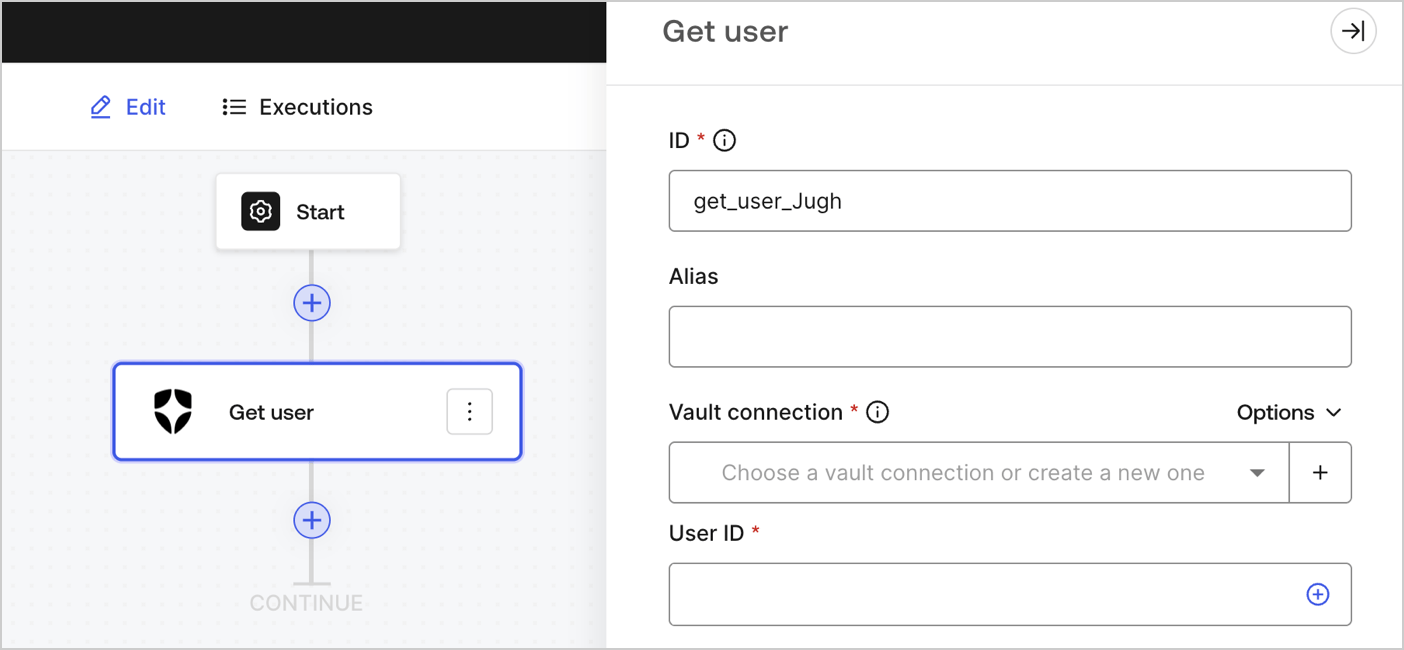
## Get user
Retrieve user details.
 ### Input settings
| Parameter | Description |
| --------- | ------------------------------------------------------------------------------------------------------------------------------ |
| User ID | ID of the user to retrieve. To learn more, read [Get a user](/docs/api/management/v2/users/get-users-by-id) API documentation. |
### Output object
Review [Get a user](/docs/api/management/v2/users/get-users-by-id) for expected response and status code.
## Update user
Update a user.
### Input settings
| Parameter | Description |
| --------- | ------------------------------------------------------------------------------------------------------------------------------ |
| User ID | ID of the user to retrieve. To learn more, read [Get a user](/docs/api/management/v2/users/get-users-by-id) API documentation. |
### Output object
Review [Get a user](/docs/api/management/v2/users/get-users-by-id) for expected response and status code.
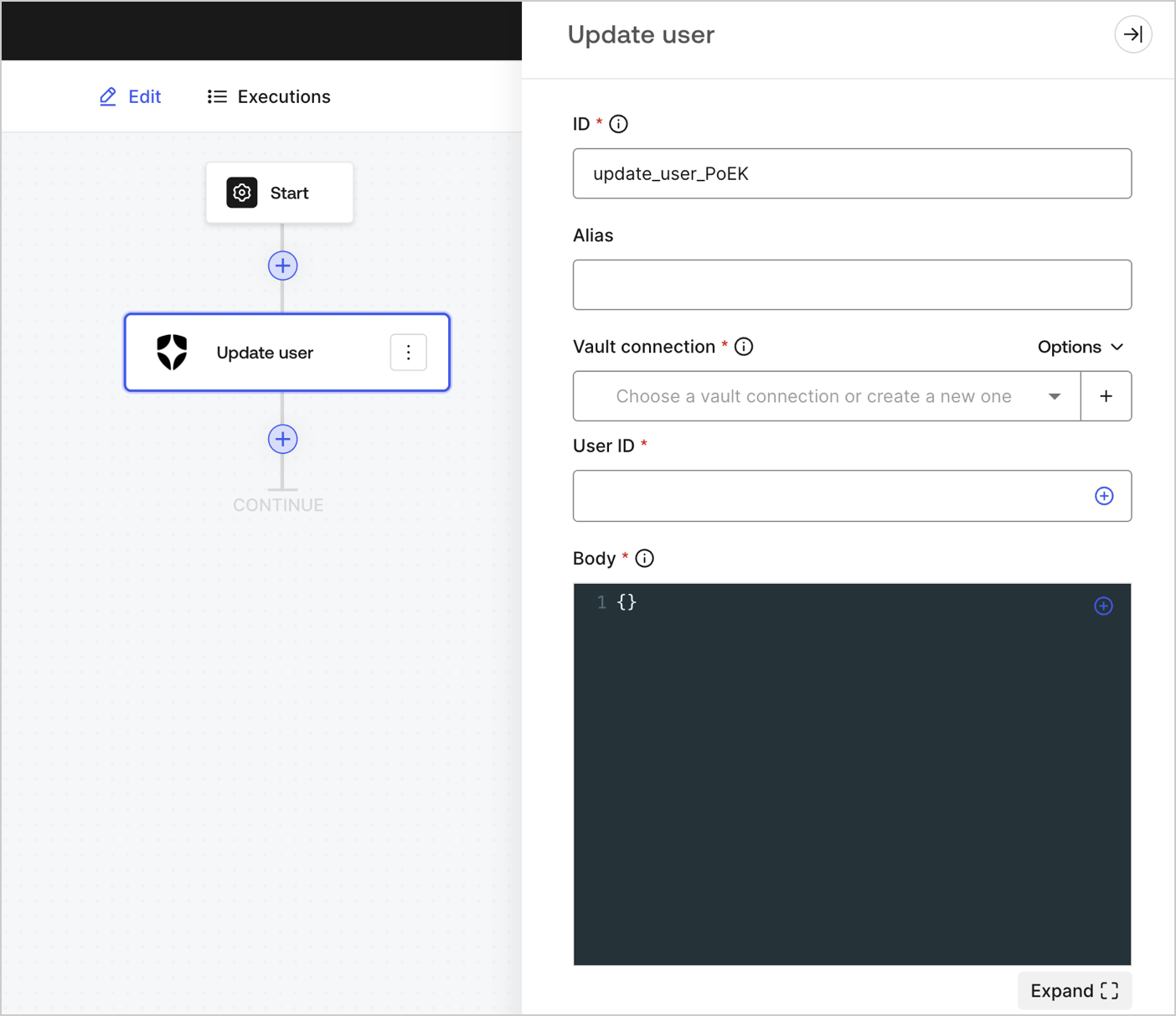
## Update user
Update a user.
 ### Input settings
| Parameter | Description |
| --------- | ------------------------------------------------------------------------------------------------------------------------------------------------------- |
| User ID | ID of the user to update. |
| Body | The payload of Auth0 user properties to update. To learn more, read [Update a user](/docs/api/management/v2/users/patch-users-by-id) API documentation. |
### Output object
You can find the expected response and status codes at [Update a user](/docs/api/management/v2/users/patch-users-by-id) API documentation.
## Custom API request
Send a custom API request to Auth0 API endpoints.
### Input settings
| Parameter | Description |
| --------- | ------------------------------------------------------------------------------------------------------------------------------------------------------- |
| User ID | ID of the user to update. |
| Body | The payload of Auth0 user properties to update. To learn more, read [Update a user](/docs/api/management/v2/users/patch-users-by-id) API documentation. |
### Output object
You can find the expected response and status codes at [Update a user](/docs/api/management/v2/users/patch-users-by-id) API documentation.
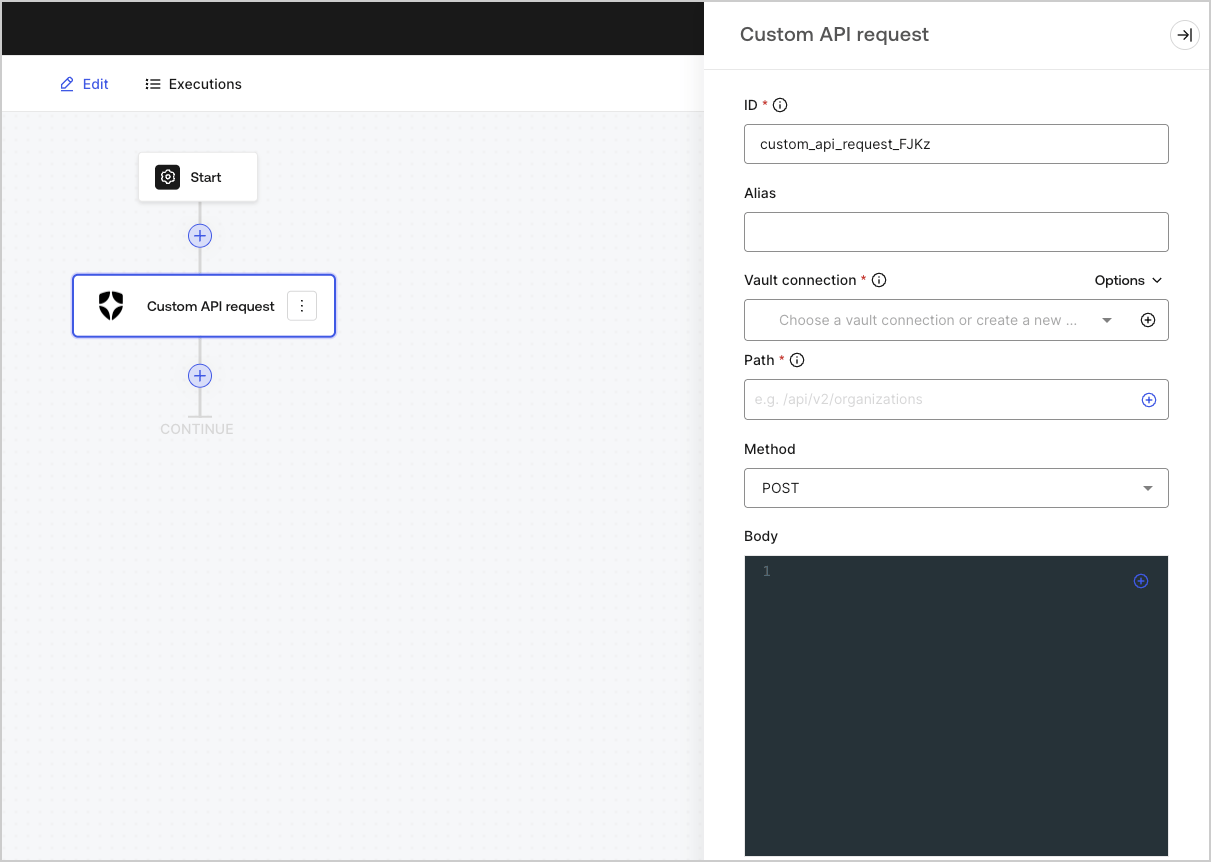
## Custom API request
Send a custom API request to Auth0 API endpoints.
 ### Input settings
| Parameter | Description |
| ---------- | --------------------------------------------------------------------------------------------------------------------------------------------------------------------------------------------------------------------------------------------------------------------------------------------------------------------------------------------------------------------------------------------------------------------------------------------------------------------------------------------------------- |
| Path | The API endpoint absolute pathname.
### Input settings
| Parameter | Description |
| ---------- | --------------------------------------------------------------------------------------------------------------------------------------------------------------------------------------------------------------------------------------------------------------------------------------------------------------------------------------------------------------------------------------------------------------------------------------------------------------------------------------------------------- |
| Path | The API endpoint absolute pathname.
( Example: `/api/v2/organizations` )
**Note:** Some endpoints, for example: [ Get a user ](/docs/api/management/v2/users/get-users-by-id), require URI encoded parameters when not using alphanumeric characters, such as: `-`, `.`, `_`, or `~`, [ characters ](https://datatracker.ietf.org/doc/html/rfc3986#section-2.3)).
To do this, you can use the encodeURIComponent function:
`{{ functions.encodeURIComponent(context.user.user_id) }}` |
| Method | Available HTTP methods include: - `GET`
- `POST`
- `PUT`
- `PATCH`
- `DELETE`
|
| Body | The body of the request. |
| Headers | The headers of the request. |
| URL Params | The URL parameters. These parameters are automatically URL-encoded. |
### Output object
Review [Auth0 Management API](/docs/api/management/v2) for expected responses and status codes.
## Notifications
## Send email
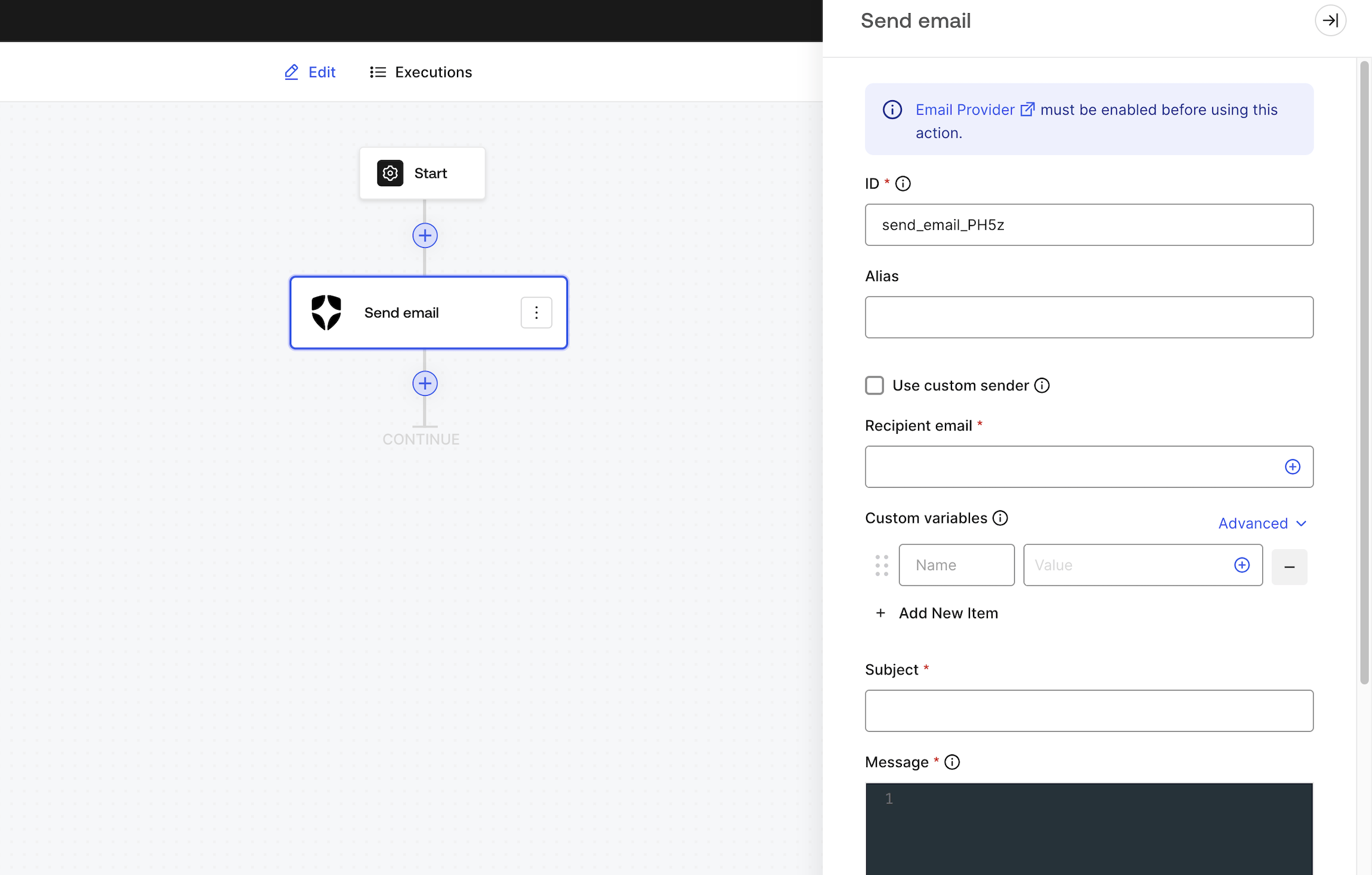
Send a custom email using your [configured email provider](/docs/customize/email).
[Email Provider](/docs/customize/email) must be enabled before using this Action.
 ### Input settings
| Parameter | Description |
| ----------------------- | -------------------------------------------------------------------------------------------------------------------------------------------------------------------------------- |
| Use custom sender email | By default, we will use the sender email you have configured in your customized email provider settings. Enable this option if you want to use a different sender email or name. |
| Recipient email | The recipient’s email. |
| Custom variables | Add custom variables to be inserted in your email template. Once configured, you can reference them using `{{custom_vars.your_variable_key}}`. |
| Subject | The email subject. Supports custom variables and Liquid syntax. |
| Message | The email message is in HTML format, uses Liquid syntax, and supports custom variables. |
Subject and Message can use a combination of Liquid syntax with [common variables](/docs/customize/email/email-templates/supported-liquid-syntax) or custom variables using `{{custom_vars.your_variable_key}}` syntax.
Use custom variables to pass information between Forms / Flows context and Subject and Message content.
### Output object
| Property | Type | Description |
| -------- | ------- | ------------------------------------------------------------------------------------------------------------ |
| success | Boolean | Indicates if the email was successfully queued to be sent, regardless of whether the delivery failed or not. |
### Output object example
```json theme={null}
{
"success": true
}
```
## Send SMS
Send a custom SMS using your [configured phone provider](/docs/customize/phone-messages/configure-phone-messaging-providers).
[Phone Provider](/docs/customize/phone-messages/configure-phone-messaging-providers) must be enabled for text message delivery before using this Action.
### Input settings
| Parameter | Description |
| ----------------------- | -------------------------------------------------------------------------------------------------------------------------------------------------------------------------------- |
| Use custom sender email | By default, we will use the sender email you have configured in your customized email provider settings. Enable this option if you want to use a different sender email or name. |
| Recipient email | The recipient’s email. |
| Custom variables | Add custom variables to be inserted in your email template. Once configured, you can reference them using `{{custom_vars.your_variable_key}}`. |
| Subject | The email subject. Supports custom variables and Liquid syntax. |
| Message | The email message is in HTML format, uses Liquid syntax, and supports custom variables. |
Subject and Message can use a combination of Liquid syntax with [common variables](/docs/customize/email/email-templates/supported-liquid-syntax) or custom variables using `{{custom_vars.your_variable_key}}` syntax.
Use custom variables to pass information between Forms / Flows context and Subject and Message content.
### Output object
| Property | Type | Description |
| -------- | ------- | ------------------------------------------------------------------------------------------------------------ |
| success | Boolean | Indicates if the email was successfully queued to be sent, regardless of whether the delivery failed or not. |
### Output object example
```json theme={null}
{
"success": true
}
```
## Send SMS
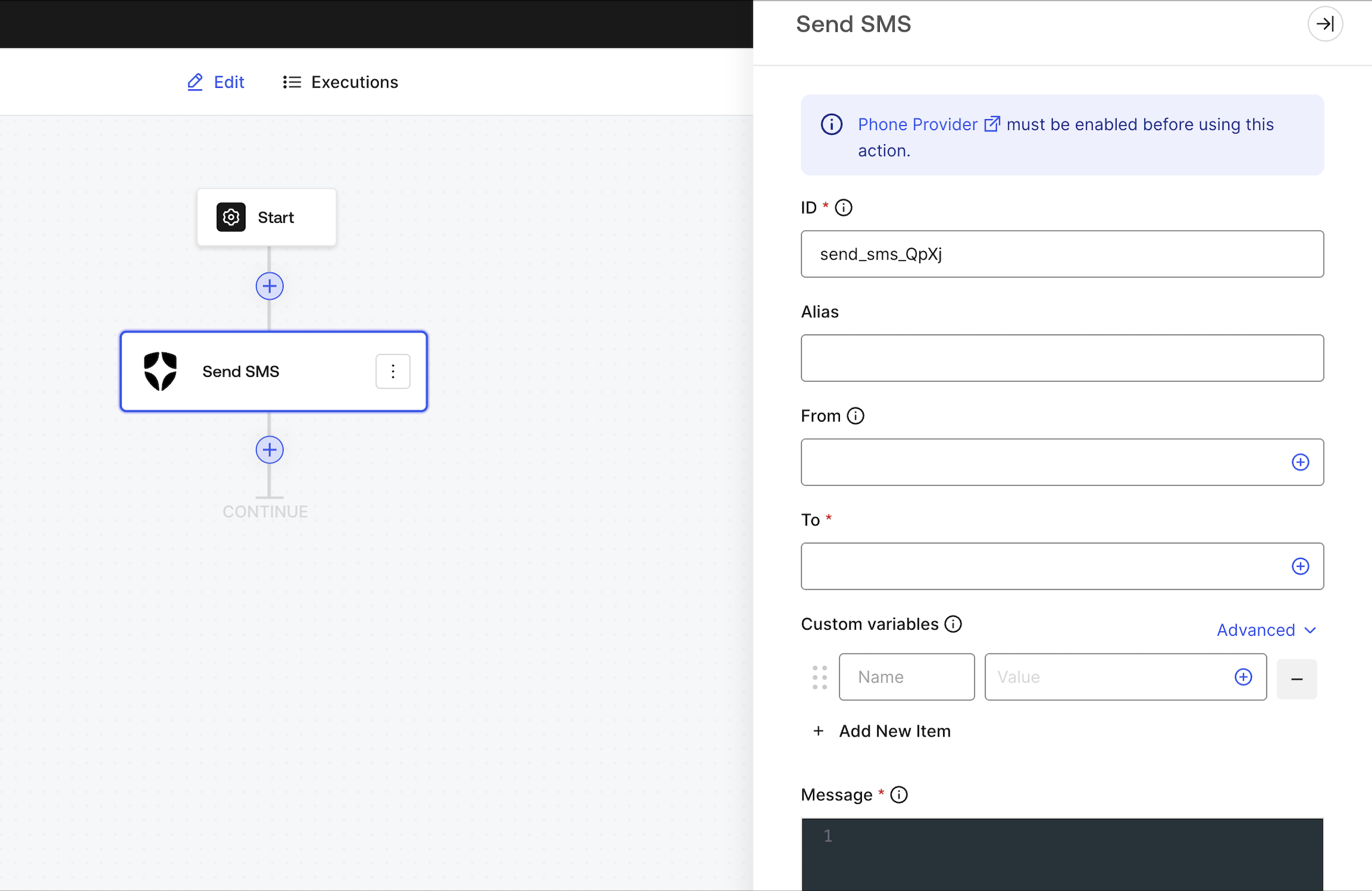
Send a custom SMS using your [configured phone provider](/docs/customize/phone-messages/configure-phone-messaging-providers).
[Phone Provider](/docs/customize/phone-messages/configure-phone-messaging-providers) must be enabled for text message delivery before using this Action.
 ### Input settings
| Parameter | Description |
| ---------------- | ---------------------------------------------------------------------------------------------------------------------------------------------------------------------------------------- |
| From | By default, we will use the sender phone number you have configured in your customized phone provider settings. Input a custom value if you want to use a different sender phone number. |
| To | The recipient’s phone number. |
| Custom variables | Add custom variables to be inserted in your phone template. Once configured, you can reference them using `{{custom_vars.your_variable_key}}`. |
| Message | The phone message uses Liquid syntax and supports custom variables. |
Message can use a combination of Liquid syntax with [common variables](/docs/customize/email/email-templates/supported-liquid-syntax) or custom variables using `{{custom_vars.your_variable_key}}` syntax.
Use custom variables to pass information between Forms / Flows context and Message content.
### Output object
| Property | Type | Description |
| -------- | ------- | -------------------------------------------------------------------------------------------------------------------- |
| success | Boolean | Indicates if the phone message was successfully queued to be sent, regardless of whether the delivery failed or not. |
### Output object example
```json theme={null}
{
"success": true
}
```
## Make call
Send a custom voice message using your [configured phone provider](/docs/customize/phone-messages/configure-phone-messaging-providers).
[Phone Provider](/docs/customize/phone-messages/configure-phone-messaging-providers) must be enabled for voice message delivery before using this Action.
### Input settings
| Parameter | Description |
| ---------------- | ---------------------------------------------------------------------------------------------------------------------------------------------------------------------------------------- |
| From | By default, we will use the sender phone number you have configured in your customized phone provider settings. Input a custom value if you want to use a different sender phone number. |
| To | The recipient’s phone number. |
| Custom variables | Add custom variables to be inserted in your phone template. Once configured, you can reference them using `{{custom_vars.your_variable_key}}`. |
| Message | The phone message uses Liquid syntax and supports custom variables. |
Message can use a combination of Liquid syntax with [common variables](/docs/customize/email/email-templates/supported-liquid-syntax) or custom variables using `{{custom_vars.your_variable_key}}` syntax.
Use custom variables to pass information between Forms / Flows context and Message content.
### Output object
| Property | Type | Description |
| -------- | ------- | -------------------------------------------------------------------------------------------------------------------- |
| success | Boolean | Indicates if the phone message was successfully queued to be sent, regardless of whether the delivery failed or not. |
### Output object example
```json theme={null}
{
"success": true
}
```
## Make call
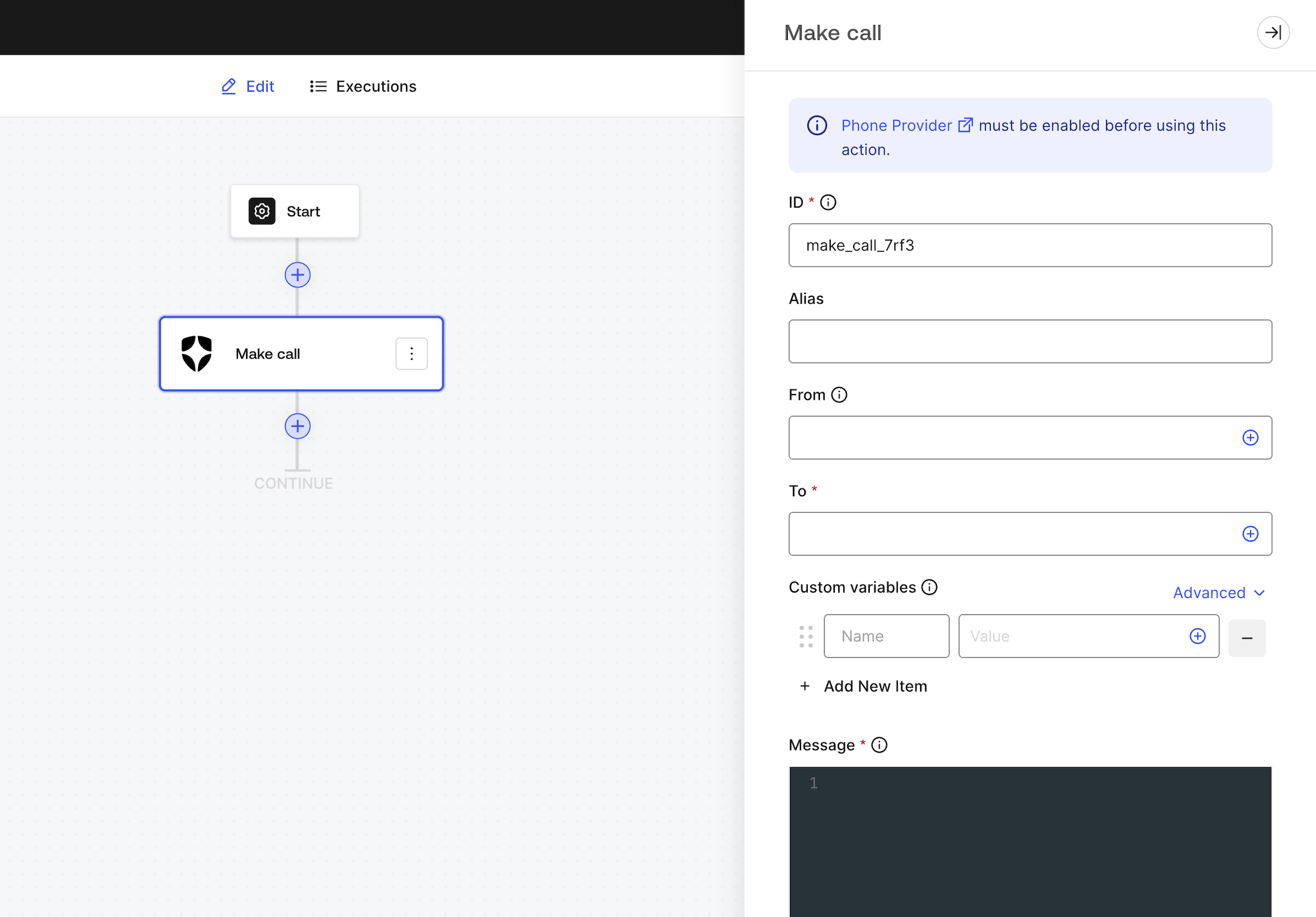
Send a custom voice message using your [configured phone provider](/docs/customize/phone-messages/configure-phone-messaging-providers).
[Phone Provider](/docs/customize/phone-messages/configure-phone-messaging-providers) must be enabled for voice message delivery before using this Action.
 ### Input settings
| Parameter | Description |
| ---------------- | ---------------------------------------------------------------------------------------------------------------------------------------------------------------------------------------- |
| From | By default, we will use the sender phone number you have configured in your customized phone provider settings. Input a custom value if you want to use a different sender phone number. |
| To | The recipient’s phone number. |
| Custom variables | Add custom variables to be inserted in your phone template. Once configured, you can reference them using `{{custom_vars.your_variable_key}}`. |
| Message | The phone message uses Liquid syntax and supports custom variables. |
Message can use a combination of Liquid syntax with [common variables](/docs/customize/email/email-templates/supported-liquid-syntax) or custom variables using `{{custom_vars.your_variable_key}}` syntax.
Use custom variables to pass information between Forms / Flows context and Message content.
### Output object
| Property | Type | Description |
| -------- | ------- | -------------------------------------------------------------------------------------------------------------------- |
| success | Boolean | Indicates if the phone message was successfully queued to be sent, regardless of whether the delivery failed or not. |
### Output object example
```json theme={null}
{
"success": true
}
```
### Input settings
| Parameter | Description |
| ---------------- | ---------------------------------------------------------------------------------------------------------------------------------------------------------------------------------------- |
| From | By default, we will use the sender phone number you have configured in your customized phone provider settings. Input a custom value if you want to use a different sender phone number. |
| To | The recipient’s phone number. |
| Custom variables | Add custom variables to be inserted in your phone template. Once configured, you can reference them using `{{custom_vars.your_variable_key}}`. |
| Message | The phone message uses Liquid syntax and supports custom variables. |
Message can use a combination of Liquid syntax with [common variables](/docs/customize/email/email-templates/supported-liquid-syntax) or custom variables using `{{custom_vars.your_variable_key}}` syntax.
Use custom variables to pass information between Forms / Flows context and Message content.
### Output object
| Property | Type | Description |
| -------- | ------- | -------------------------------------------------------------------------------------------------------------------- |
| success | Boolean | Indicates if the phone message was successfully queued to be sent, regardless of whether the delivery failed or not. |
### Output object example
```json theme={null}
{
"success": true
}
```